
TL;DR
A solar backup power bank is a portable battery that stores electricity for later use and either has a small solar panel or connects to a separate panel. Compare capacity in watt-hours (Wh) and output wattage against the devices you need to run; a pocket-size built-in panel usually adds charge slowly, while a larger compatible panel can recharge a power station faster in good conditions.
A solar power bank can sit in bright sunshine for hours and still leave your phone short of a full charge. That’s not necessarily a defect: a small built-in panel is often designed to add power slowly, not refill the battery like a wall outlet.

Get backup power and energy gear delivered free with Prime
- Fast, free delivery on millions of items
- Prime Video, Amazon Music and more included
- Member-only deals all year
The phrase solar backup power bank covers very different gear, from a pocket-size USB charger to a portable power station with AC outlets and a separate, larger panel. Knowing which kind you need can save you from carrying a heavy battery that cannot run your laptop—or counting on a tiny panel during an outage.
Here’s how to compare usable capacity, output, charging speed, and safety features, with practical examples for phones, laptops, and household appliances. You’ll also get a simple buying checklist so your backup plan fits the devices you actually use.
Compare capacity in Wh where possible; mAh figures can use different voltage assumptions.
Check output wattage and connector compatibility separately from battery capacity.
Treat a small built-in solar panel as supplemental charging, not a fast or guaranteed refill.
For appliances, confirm both running wattage and startup surge against the power station’s ratings.
Review temperature limits, weather protection, warranty, and storage instructions before relying on a unit for emergencies.
Know what a solar backup power bank can actually do
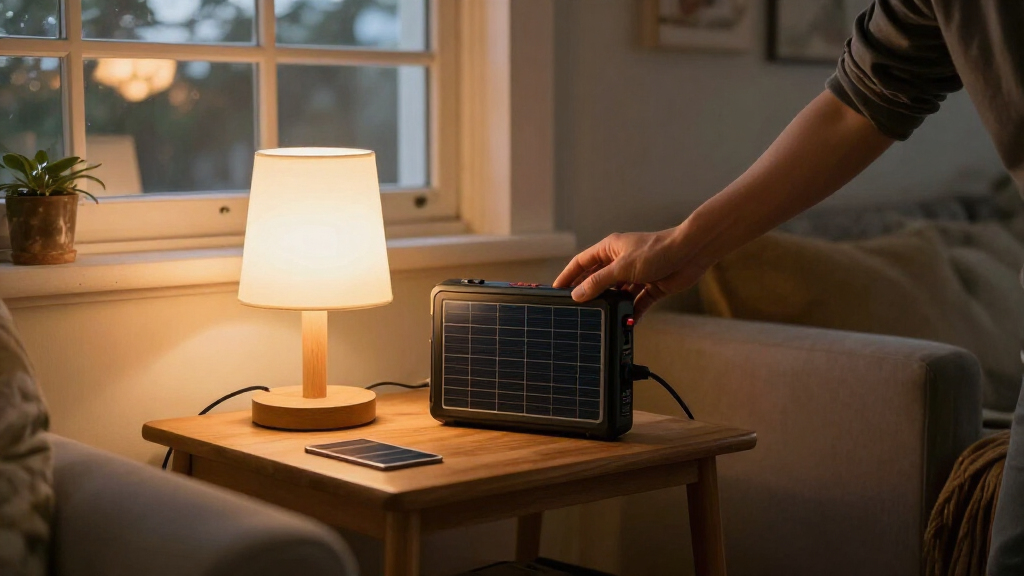
A solar backup power bank is a portable battery that stores electricity for later use and may include a small solar panel or accept power from a separate panel. It can range from a pocket charger for phones to a larger power station that runs selected appliances. The label alone does not tell you how much power it holds or what it can run.
That distinction matters when you’re packing for a weekend trip. A pocket bank may keep a phone alive for maps and messages, while a power station can support a laptop or small appliance if its outlets and output ratings match. Neither device supplies unlimited energy, and neither automatically becomes a whole-home backup system.
Think of capacity as the size of the fuel tank and output wattage as the width of the pipe. A large tank can still fail to run a device that demands more power than the outlet can deliver. For example, a battery might store plenty of energy for hours of phone charging but lack the AC outlet or wattage a kitchen appliance needs.
Ask yourself what readers need from backup power: a few extra phone charges, a laptop during a work outage, or essential equipment for a longer emergency. Those are different jobs. Picking the job first makes the product category much easier to narrow down.
Products Worth Considering

Roborock Qrevo S Pro Robot Vacuum and Mop with 18,500 Pa Suction

Sonos Era 100 Wireless Smart Speakers, 2-Pack, Black

Google Nest Learning Thermostat (4th Gen) with Nest Temperature Sensor (2nd Gen), Obsidian
As an affiliate, we earn on qualifying purchases.
Use watt-hours to estimate how long your devices will run
Compare watt-hours (Wh) to estimate stored energy and output wattage to check whether a device can run. A practical rough estimate is runtime in hours ≈ battery capacity in Wh × conversion efficiency ÷ device power in watts. Real runtime will be lower because energy conversion, battery limits, and changing device use consume power.
For a simple example, imagine a 100 Wh battery powering a device that draws 20 W. Even before losses, the arithmetic suggests about five hours; actual use will be shorter. A laptop that switches between light browsing and video calls also draws power unevenly, so a single estimate is a planning guide, not a promise.
Products often list capacity in milliamp-hours (mAh), but that number can mislead you. The rating may refer to the battery’s internal voltage rather than the USB output voltage, so it is not a direct comparison with your phone’s battery rating. Look for Wh when a maker provides it, and check the conditions behind claims such as “charges your phone six times.”
For instance, if you want a bank for two phones and a tablet during a day hike, list each device and how often you’ll use it. A bright map screen and constant photos drain a phone faster than occasional texts. Your real routine is a better sizing guide than a headline charge count.
Expect a small built-in solar panel to charge slowly
A small built-in solar panel usually provides supplemental charging, not a quick way to refill the whole battery. Its advertised wattage is a peak under favorable conditions, and real output changes with sun angle, shade, clouds, heat, positioning, and the panel’s size. A sunny afternoon can help; it does not guarantee a full battery by dinner.
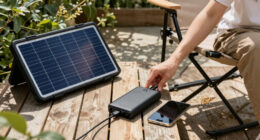
Imagine setting a pocket charger on a picnic table while tree branches cast moving shadows across its surface. Even if the sun feels strong on your skin, the panel’s output may fall whenever shade crosses it. You may gain useful extra power, but relying on that panel alone to recharge a drained bank before your phone runs out is a gamble.
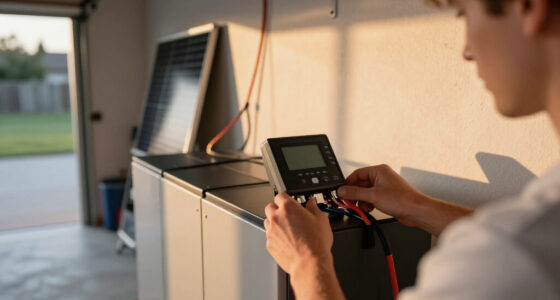
For faster solar charging, many portable power stations accept separate, larger panels. Those panels take more space and cost more, but their larger surface can collect more energy and lets you position the panel in the sun while keeping the battery in a safer, shaded spot. Check whether the panel is included, compatible, and able to charge the battery while it is running devices.
Cloudy conditions can still produce some solar power, but output may drop substantially. Treat a small integrated panel as a useful backup for a long day outside, not as a guaranteed wall-outlet replacement. If you need dependable recharge options, plan for a compatible larger panel or another charging source.
Match the ports and output to the devices you own
Choose a power bank by checking each device’s connector and power requirement, not just the battery’s capacity. Phones and small electronics often work with USB-A or USB-C; many laptops need USB-C Power Delivery (PD) at a suitable wattage. Appliances may require a power station with AC outlets and enough continuous and surge output.
Here’s a useful distinction: capacity tells you how much energy the battery stores, while output wattage tells you how much power it can deliver at one moment. A battery can have substantial capacity yet fail to start a device with a high startup draw. That matters for appliances with motors or compressors, which may briefly need more power when they switch on.
Use this short check before buying:
- List your devices and the backup time you want for each.
- Check their labels or manuals for wattage, connector, and any startup surge requirement.
- Match the bank’s ports and output, including USB-C PD ratings or AC output where needed.
- Compare usable capacity in Wh and allow for conversion losses and changing use.
- Confirm recharge options, panel compatibility, weight, temperature limits, and warranty.
For example, a remote worker who needs to finish a two-hour video call should verify that the bank can deliver the laptop’s required USB-C wattage, not just that it lists a large mAh number. If the equipment is medical or otherwise essential, confirm exact requirements and backup duration with its manufacturer or a qualified professional. Do not rely on a marketing estimate alone.
Weigh portability, battery life, and protection together
The best portable battery is the one you can carry, store, and use safely—not necessarily the one with the biggest capacity. A larger station may cover more devices during an outage, but it also weighs more, costs more, and can take longer to recharge. A pocket bank is easier to bring on a trail, but it cannot replace a power station for appliance loads.
Battery chemistry is another comparison point. Many power stations use lithium-ion batteries, while some use lithium iron phosphate (LFP or LiFePO₄). LFP models are commonly marketed for thermal stability and longer cycle life, but chemistry alone does not settle product quality. Compare the maker’s stated cycle-life test conditions, warranty, and operating guidance instead of treating a chemistry label as a guarantee.
Check the practical details too: USB-C input and output ratings, number of ports, AC outlets, pass-through charging support, overload protection, and temperature limits. Water resistance needs particular care. A device with a fold-out panel or exposed ports is not automatically weatherproof just because it is sold for outdoor use.
For instance, someone keeping a power station at a cabin might value replaceable service options and clear storage instructions more than shaving a pound off the weight. Heat, cold, deep discharges, and storage habits can affect battery life. Follow the manufacturer’s directions, and do not leave a unit in a hot car or outdoors in wet weather unless its specifications permit it.
Pick a setup that fits your real backup plan
A good solar backup setup starts with the devices you need to keep running and how long you need them, then works backward to capacity, output, and recharge options. A small bank may be enough for a phone during a commute; a laptop and several days of outage planning call for a different size and possibly a separate panel. The right answer depends on your loads, not the word “solar” on the box.
Consider a family preparing for a short power cut. They might prioritize phones, a rechargeable lantern, and a laptop for checking local updates, rather than trying to run every appliance in the house. Writing down those priorities helps them decide whether a USB power bank is enough or whether a portable power station makes sense.
Some newer products offer more USB-C PD, app-based charge monitoring, faster charging, modular add-on batteries, or larger output. These are category trends, not features shared by every model. Check the manufacturer’s current specifications, compatibility notes, and warranty because product lineups change.
Keep a backup plan for periods without sun. A small panel may add electricity for later use in good conditions, but shade, clouds, and short winter days can make solar input unreliable. If the power matters, consider where the unit will sit, how you’ll position the panel, and what alternative charging method is available when sunlight disappears.
Frequently Asked Questions
How long does a solar power bank take to charge?
There is no single charging time: it depends on battery capacity, panel wattage, sun exposure, positioning, and the charging electronics. Treat manufacturer estimates as favorable-condition guidance, especially when a small built-in panel is involved.
Can a solar power bank charge a phone on a cloudy day?
It may collect some energy in bright overcast conditions, but output can drop substantially. Keep the bank charged ahead of time and treat cloudy-day solar as extra power, not a sure way to refill a drained battery.
Can a solar power bank charge my laptop?
Yes, if it has a compatible output—often USB-C Power Delivery—with enough wattage for your laptop, or an AC outlet that meets its requirements. Check the laptop’s power needs and the bank’s output rating before you buy.
Can a power bank run a refrigerator?
A pocket-size USB power bank is not suitable. Some portable power stations can run certain refrigerators, but you must check the refrigerator’s running wattage, startup surge, and energy use over time against the station’s specifications.
Is a built-in solar panel better than a separate panel?
A built-in panel is convenient and easy to carry, but its small area usually limits charging speed. A compatible separate panel can offer more charging power and flexible positioning, at the cost of extra weight, space, and expense.
Is it safe to leave a solar power bank in a hot car?
Follow the manufacturer’s temperature and storage guidance. Extreme heat, cold, and moisture can affect performance, battery lifespan, and safety, and a solar panel does not mean the battery unit can withstand outdoor exposure.
Conclusion
Choose your solar backup power bank by starting with the devices you need to run, then match their power draw, connectors, and desired backup time to the battery’s Wh and output ratings. Treat a small built-in solar panel as a helpful bonus; for faster charging, check for a compatible larger panel and keep another recharge option in your plan.
When the lights go out, the most useful battery is not the biggest one on the shelf. It’s the one that can quietly keep your phone, laptop, or essential device alive when you need it.