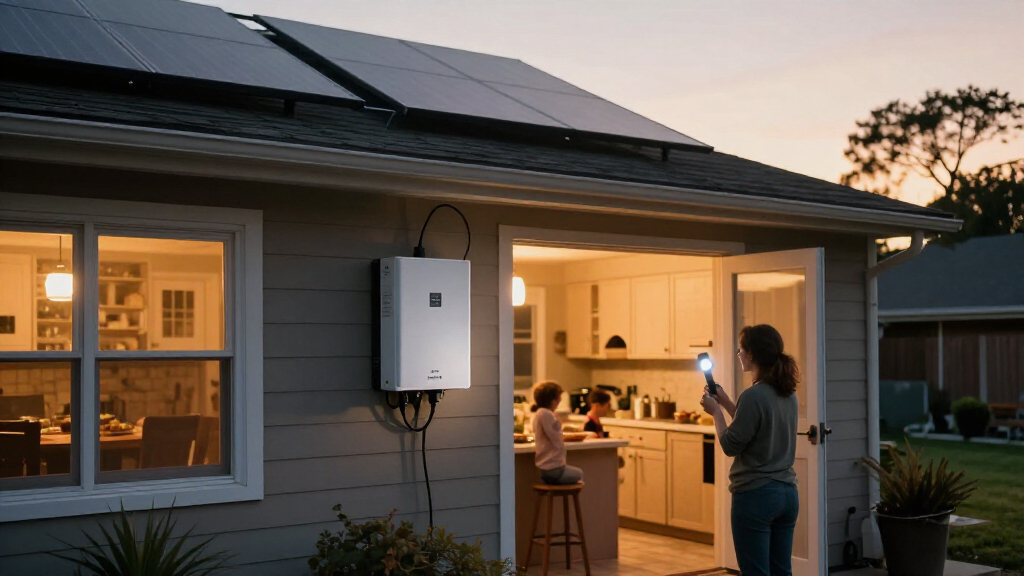
Use this guide to plan a solar backup power system for selected essential loads, such as a refrigerator, lights, communications equipment, or a medical device. You will estimate energy needs, match them to an inverter and battery, check solar charging options, and identify what a qualified electrician must verify before installation. It is for homeowners with basic electrical awareness; the planning work takes about 2-4 hours, while installation and permitting can take days or longer.

Get backup power and energy gear delivered free with Prime
- Fast, free delivery on millions of items
- Prime Video, Amazon Music and more included
- Member-only deals all year

ECO-WORTHY Solar Panel and LiFePO4 Home Backup System
- ✔ Usable energy: 30kWh+
- ✔ Battery configuration: Two 48V 314Ah LiFePO4 batteries
- ✔ Solar panels: Six 590W N-type monocrystalline panels

ECO-WORTHY 10 kW Off-Grid Solar System Kit with Split-Phase Inverter, Batteries, and Solar Panels
- ✔ Inverter output: 10,000W continuous; 20,000W peak
- ✔ Battery storage: 20.48kWh total
- ✔ Batteries: Four 48V 100Ah LiFePO4 batteries
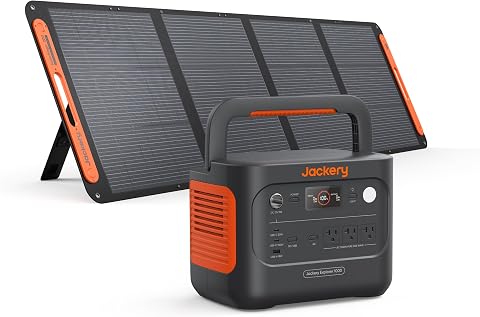
Jackery Solar Generator 1000 v2 with 200W Solar Panel
- ✔ Battery capacity: 1,070Wh
- ✔ AC output: 1,500W; 3,000W surge peak
- ✔ Battery type: LFP
This guide covers system planning and safe setup checks, not step-by-step household wiring. Batteries and utility-connected equipment can cause shock, fire, or backfeed hazards. Have a licensed electrician handle fixed wiring, transfer equipment, and any connection to the home electrical panel.
Difficulty: Intermediate | Time: 2-4 hours for planning and load measurements; installation time varies
What You’ll Need
Tools & Materials:
- Recent electric bill or utility account data
- Paper or spreadsheet for a load list
- Appliance labels or manufacturer specifications
- Calculator
- Optional plug-in watt meter for compatible appliances
- Solar site information, such as roof orientation, shade, or usable ground area
Knowledge:
- Basic ability to read appliance power labels
- Understanding that watts measure power and watt-hours measure energy
- Willingness to use an electrician for fixed wiring and transfer equipment
Before buying equipment, check local permitting, electrical-code rules, utility requirements, and equipment warranties. Choose listed equipment intended for the installation location. Do not open an inverter, battery, or electrical panel, and do not connect a portable power station to a home outlet with a cord.
ECO-WORTHY Solar Panel and LiFePO4 Home Backup System
For buyers who need more than a portable station can offer, this is the most compelling large-scale option in our lineup. The package combines 30kWh+ of usable energy, a 10kW hybrid inverter, two 48V 314Ah LiFePO4 batteries, and six 590W solar panels. That integrated configuration makes it a stronger starting point for a substantial home backup or off-grid project than the Jackery, whose 1,070Wh capacity is designed for smaller, portable loads.The system also supports 120V and 240V output, broadening the range of household applications it may serve when properly designed and installed. App, Bluetooth, Wi-Fi, and LCD monitoring offer several ways to check system status, while RS485, CAN, and RS232 communication support give installers additional integration options. The stated battery cycle life and active-balancing BMS add useful longevity and battery-management credentials, though buyers should confirm system suitability for their specific loads and installation.Its main drawback is the logistics and complexity that come with a home-scale package. The panels are nearly 90 inches long, and the shipment requires truck delivery and an appropriate receiving address. Compared with the 10kW ECO-WORTHY kit, this product provides more stated storage but fewer panels; the 10kW kit instead specifies split-phase output and 20.48kWh of storage. One further uncertainty is that the inverter’s exterior version is selected randomly. This is our top pick for capacity, not for easy setup.
Pros:
- Includes panels, batteries, inverter, and cables as an integrated package
- Provides 30kWh+ of stated usable energy for substantial backup needs
- Supports both 120V and 240V output with app and LCD monitoring
- Battery cycle life is rated at 9000+ cycles at 80% DoD
Cons:
- Large shipment requires truck delivery and a suitable receiving address
- Inverter exterior version is selected randomly
Best for: Homeowners or off-grid planners seeking a bundled system with 30kWh+ usable energy, a hybrid inverter, and included solar panels.
Not ideal for: Renters, portable-power shoppers, or buyers without space, delivery access, and a plan for a large fixed installation.
Bottom line: We rank this first for buyers prioritizing the lineup’s highest stated usable storage in a bundled home backup system.
“We rank this first for buyers prioritizing the lineup’s highest stated usable storage in a bundled home backup system.”
ECO-WORTHY 10 kW Off-Grid Solar System Kit with Split-Phase Inverter, Batteries, and Solar Panels
This kit is a strong alternative when a buyer needs 10kW inverter output and 120V/240V split-phase power, but does not require the 30kWh+ storage stated for our top pick. It combines a 10,000W inverter with a 20,000W peak rating, four 48V 100Ah LiFePO4 batteries, and nine 590W panels. Its 20.48kWh of total storage is substantial, although it falls short of the other ECO-WORTHY package’s stated usable energy.The solar array is a differentiator: 5,310W of panel capacity across nine bifacial dual-glass N-type panels gives this kit more included panel wattage than the six-panel system above. Dual MPPT controllers and built-in Wi-Fi and battery app monitoring provide practical tools for managing a planned off-grid installation. Split-phase output also makes it a more suitable starting point than the Jackery for buyers designing a fixed system around both 120V and 240V loads.More panels do not make this an easy plug-and-play purchase. Each panel is large, the shipment arrives on a pallet by truck, and professional installation is recommended. Compared with the 30kWh+ ECO-WORTHY model, this kit trades some battery capacity for a larger specified panel array and clearly stated split-phase output. Buyers who simply need emergency phone charging or occasional small-appliance power should skip both home kits and consider the portable Jackery instead.
Pros:
- Includes inverter, nine panels, batteries, and cables
- Provides 10,000W continuous inverter output and 120V/240V split-phase power
- Includes 5,310W of N-type bifacial solar panels
- Built-in Wi-Fi and battery app monitoring support system oversight
Cons:
- Large panels ship on a pallet by truck
- Professional installation is recommended
Best for: Off-grid buyers planning a professionally installed 120V/240V system who want a 10kW inverter and a nine-panel array.
Not ideal for: Anyone looking for portable backup, minimal setup, or the highest stated battery storage in this comparison.
Bottom line: We recommend this kit when split-phase output and a larger included panel array matter more than having the lineup’s maximum battery storage.
“We recommend this kit when split-phase output and a larger included panel array matter more than having the lineup’s maximum battery storage.”
Jackery Solar Generator 1000 v2 with 200W Solar Panel
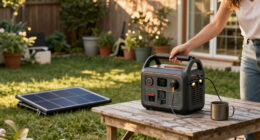
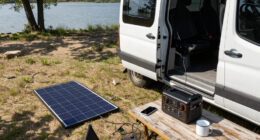
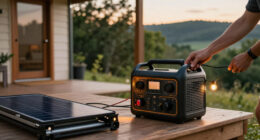
The Jackery earns its place by solving a different backup problem: providing portable power without the delivery, wiring, and installation demands of the ECO-WORTHY home kits. At 23.8 pounds with a 1,070Wh LFP battery, it is much easier to move for camping, travel, or temporary emergency use. Its 1,500W AC output and 3,000W surge peak can support a range of smaller appliances and devices, while three pure sine wave outlets and USB ports let us charge multiple items at once.Its included 200W solar panel offers a way to recharge away from a wall outlet, but solar replenishment should not be confused with the far larger arrays bundled with the home systems. For extended household outages or high-energy loads, the Jackery’s 1,070Wh capacity is the clear limiting factor. The ECO-WORTHY options have far more storage and 10kW inverters; choose this instead when portability and simpler ownership matter more than running a broad set of home circuits.One useful convenience is the advertised one-hour AC recharge, but it requires enabling emergency charging in the app; the default full-charge time is 1.7 hours. That extra step matters if fast recovery is a priority. The LFP battery is rated to retain over 70% capacity after 4,000 cycles, and the app includes quiet and efficiency modes. A further practical caveat: the power station and panel ship separately, so the bundle may not arrive as one package.
Pros:
- Portable 23.8-pound power station with a 1,070Wh LFP battery
- 1,500W AC output with a 3,000W surge peak
- Multiple AC, USB, and DC ports support simultaneous charging
- App offers emergency, quiet, and energy-efficiency charging modes
Cons:
- One-hour full recharge requires enabling emergency charging in the app
- Power station and solar panel ship separately
Best for: Campers, travelers, and households seeking portable backup for electronics and selected smaller appliances.
Not ideal for: Buyers who need whole-home backup, extended high-load runtime, or an integrated fixed solar installation.
Bottom line: We choose the Jackery for portable, comparatively straightforward backup, not as a replacement for either high-capacity home system.
“We choose the Jackery for portable, comparatively straightforward backup, not as a replacement for either high-capacity home system.”
As an Amazon Associate we earn from qualifying purchases.
Before You Start
Decide whether you need backup for a few appliances, selected circuits, or most of the home. A system for a few plug-in loads is simpler than a panel-connected system. Solar panels do not automatically provide power during an outage: many grid-tied inverters shut down unless the system has approved backup operation, a compatible inverter, and the required isolation from the utility.
Write down any life-support or medically necessary equipment first. Ask the device supplier or clinician about required runtime and backup arrangements; do not rely on an untested solar system as the only source. Keep a separate plan for extended cloudy weather and equipment failure.
Step-by-Step Instructions
Step 1: Choose the loads to keep running
List only the appliances and circuits you expect to use during an outage. For each one, record its rated watts, expected hours of use per day, and whether it has a motor or compressor. Include startup surge for refrigerators, pumps, and similar equipment; check the appliance manual or manufacturer for starting power if it is not on the label.
Decide which items can run at the same time. Separate essential loads from optional loads to reduce system cost and make operation easier. Do not estimate the backup load from one electric bill or assume you need to power the whole house.
Tip: If a label gives amps but not watts, use the manufacturer’s stated watts when available. For a rough estimate on single-phase equipment, watts are approximately volts multiplied by amps; motor power and power factor can make this estimate inaccurate.
Check: You have a written list of essential devices, their running power, likely startup demand, and planned daily use.
Step 2: Calculate daily energy and peak demand
Calculate each device’s daily energy by multiplying its watts by the hours it runs per day. Add the results to get total daily watt-hours. For example, a 60-watt device used for 5 hours uses about 300 watt-hours. Separately add the running watts of devices you may operate together to estimate simultaneous demand.
Record the largest startup surge that may coincide with other loads. Apply an allowance for inverter and battery losses when comparing your estimate with equipment specifications; usable energy is lower than a battery’s nameplate capacity. Ask the equipment supplier to confirm the system’s usable capacity under the intended conditions.
Tip: Appliances cycle on and off, so a continuous-hours estimate can overstate or understate actual use. A plug-in watt meter can help measure compatible plug-in devices over a representative period; it does not replace manufacturer data for startup surge or hardwired equipment.
Check: Your calculation includes daily watt-hours, simultaneous running watts, and the highest likely startup demand.
Step 3: Set the backup duration and operating plan
Choose how long the system should power the listed loads without solar input, such as overnight or one full day. Multiply the planned daily energy by the number of backup days, then compare that requirement with the battery’s usable energy rating—not just its total or nominal capacity.
Decide which loads you will turn off first if the battery runs low. Allow for reduced solar production during cloudy weather and shorter winter days. If uninterrupted power is required, ask a qualified designer whether the equipment provides the required transfer time and whether a separate uninterruptible power supply is needed for sensitive devices.
Tip: A larger battery does not solve every problem. It adds cost and weight, and it may still run down during a long outage without adequate charging or a reduced-load plan.
Check: You have a target runtime, a load-shedding order, and a plan for periods with little or no sun.
Step 4: Select a compatible inverter and battery
Compare the calculated running load and startup surge with the inverter’s continuous and surge ratings. Check the ratings at the expected temperature and installation conditions. Confirm the inverter can supply the required voltage and frequency and supports the intended loads, including any motor-driven appliances.
Choose a battery that is explicitly compatible with the inverter and has enough usable energy for your runtime target. Check the battery’s continuous and peak discharge limits, operating temperature range, communications requirements, and required protective equipment. Use the manufacturer’s specified cables, overcurrent protection, clearances, and mounting arrangements.
Tip: Do not combine batteries of different models, ages, or chemistries unless the manufacturer specifically allows that configuration. A compatible battery-management system and correct settings are needed to protect the battery.
Check: The selected inverter meets the calculated load and surge, and the compatible battery meets usable-energy and discharge requirements.
Step 5: Check the solar charging design and site
Estimate how much energy the panels must produce to support your chosen loads and recharge the battery. Use a reputable design tool or ask an installer to assess your location, panel orientation, shade, season, and system losses. Confirm that the inverter or charge controller accepts the array’s voltage and current, and that the panel layout stays within its permitted input range.
Inspect the proposed installation area for shade, structural condition, access, and safe routing. Have a qualified professional assess roof structure and electrical connections. If you use a portable array, follow its setup instructions, secure it against wind, and keep cables away from trip hazards and vehicle paths.
Tip: Do not size panels from peak sunlight alone. Winter production, shading, clouds, and system losses can sharply reduce charging. Plan for backup generation or lower consumption if the system must work through prolonged poor weather.
Check: The proposed array and charge equipment are compatible, and the design accounts for local conditions and the season when backup is most needed.
Step 6: Plan safe isolation and installation
Ask a licensed electrician to specify the transfer switch or approved backup gateway, required disconnects, grounding and bonding, circuit arrangement, and permits. Ensure the system isolates the home from the utility during backup operation so it cannot energize utility lines. Confirm which circuits will receive backup power and have them labeled clearly.
Have the installer confirm the equipment’s approved operating modes and whether solar can charge the battery or serve loads during a grid outage. Do not connect an inverter to a home receptacle, bypass a transfer device, alter panel wiring, or improvise a generator connection. Keep batteries and equipment within their specified environment and away from exits or heat sources as required by the manufacturer and local code.
Tip: For a portable power station serving plug-in appliances only, follow its manual and connect appliances directly to its rated outlets. Do not connect it to household wiring unless the manufacturer and a qualified electrician approve a proper transfer arrangement.
Check: The installation plan includes utility isolation, permitted connections, named backup circuits, and a qualified person responsible for fixed wiring.
Step 7: Commission and test the system
Have the installer complete required inspections and commissioning before relying on the system. Obtain the operating manual, approved shutdown and restart sequence, battery settings, warranty documents, and service contact details. Verify that labels identify disconnects, backup circuits, and any restricted operating conditions.
Follow the installer’s direction to test backup mode using the approved procedure. Confirm that the selected loads receive power, the inverter reports normal operation, and the battery begins charging when solar conditions permit. Test a motor load only if the installer confirms the inverter supports its startup demand. Record the battery level, loads used, and approximate runtime during the test.
Tip: Do not simulate an outage by pulling fuses, opening live equipment, or switching devices in an unapproved order. Use only the documented test procedure and keep clear of electrical enclosures.
Check: The system passes its approved backup test, the expected circuits work, the monitoring display shows normal status, and you know how to shut down and restore it safely.
Common Mistakes to Avoid
- Sizing the battery from total household consumption rather than outage loads. — Calculate energy for the specific appliances and circuits you intend to run, including hours of use and a realistic runtime target.
- Ignoring startup surge from refrigerators, pumps, or other motors. — Check manufacturer surge data and compare it with the inverter’s surge rating and duration limit before purchase.
- Assuming existing grid-tied solar will operate during a utility outage. — Confirm that the inverter and system include approved backup capability and utility isolation; have the installer explain the operating mode.
- Connecting a power source to household wiring through an ordinary outlet. — Use appliances directly from rated outlets or have a licensed electrician install approved transfer equipment. Never use a backfeed cord.
Troubleshooting
Problem: The battery runs down sooner than the estimate.
Solution: Check the monitoring history for actual load and battery use, then compare it with your assumptions. Turn off nonessential loads, reduce operating hours, and ask the installer to check battery settings, usable capacity, and system losses.
Problem: The inverter shuts down when a refrigerator or pump starts.
Solution: Stop repeated restart attempts. The startup surge may exceed the inverter limit or coincide with other loads. Ask the installer to verify surge ratings, load sequencing, wiring, and whether a different inverter or load-management plan is needed.
Problem: The panels produce little power or the battery does not charge.
Solution: Check the system display for alarms and confirm the panels are not shaded or covered, but do not open electrical enclosures or disconnect live connectors. Review the manual’s permitted checks and contact the installer if an alert remains or charging does not resume in suitable sunlight.
Problem: Backup power does not reach an expected circuit.
Solution: Check the circuit list and approved transfer procedure. The circuit may not be included in the backup panel, or a breaker may be off. Do not open the panel; ask the electrician to inspect the configuration if the documented checks do not resolve it.
What Success Looks Like
Your plan identifies the loads and runtime the system is meant to support, and the equipment ratings match the calculated running demand, startup surge, usable battery energy, and charging design. Fixed wiring includes approved utility isolation and has been installed and inspected as required. During the documented test, the selected loads receive power, the system reports normal operation, and you can identify its shutdown procedure, battery status, and load-shedding order.
Next Steps
Keep the load list, equipment manuals, warranty records, permits, and commissioning results in one accessible place. Check the monitoring display periodically and follow the manufacturer’s maintenance schedule for batteries, panels, and ventilation. Test backup operation at the interval recommended by the installer, using the approved procedure. Update your load calculations if you add appliances, change usage, or extend the desired runtime. Contact a qualified electrician or the manufacturer for alarms, unusual heat or odors, damaged cables, battery swelling, or any wiring issue; stop using affected equipment if it appears unsafe.
Frequently Asked Questions
Will solar panels keep working when the grid goes down?
Not necessarily. Many standard grid-tied inverters shut off during an outage to prevent power from reaching utility lines. Backup operation requires equipment designed for that mode and approved isolation from the grid. Ask your installer to demonstrate the system’s outage operation.
How do I estimate the battery size I need?
Add the daily watt-hours for the loads you will run, multiply by the number of backup days you want, and compare that amount with the battery’s usable energy rating. Include system losses and confirm the battery can supply the required continuous and peak power. Have the supplier validate the final design.
Can I install a home backup system myself?
You can collect load information and compare specifications, but fixed wiring, panel connections, transfer equipment, and utility interconnection can involve lethal voltage and code requirements. Use a licensed electrician for those tasks and follow local permit and inspection rules.
Can a portable power station power my house through a wall outlet?
No. Plugging a power source into a household outlet can backfeed wiring and create a shock or fire hazard. Use appliances directly from the power station’s rated outlets, or ask an electrician about an approved transfer setup compatible with the equipment.