TL;DR

Get backup power and energy gear delivered free — and shop member deals
- Fast, free delivery on millions of items
- Access to Prime Big Deal Days deals on October 6–7
- Prime Video, Amazon Music and more included
A solar backup power station is a rechargeable battery with an inverter and outlets, often called a portable power station; it can run selected devices during outages or away from the grid. Choose by checking both continuous output in watts and stored energy in watt-hours, then plan for conversion losses and variable solar conditions. Most portable models support essentials, not an entire home, and household-circuit connections call for compatible equipment and a licensed electrician.
The first night of an outage can turn a quiet house into a chorus of dead-phone alerts, dark hallways, and a silent router. A solar backup power station can keep a few of those everyday essentials humming—but only if its power and capacity fit the job.
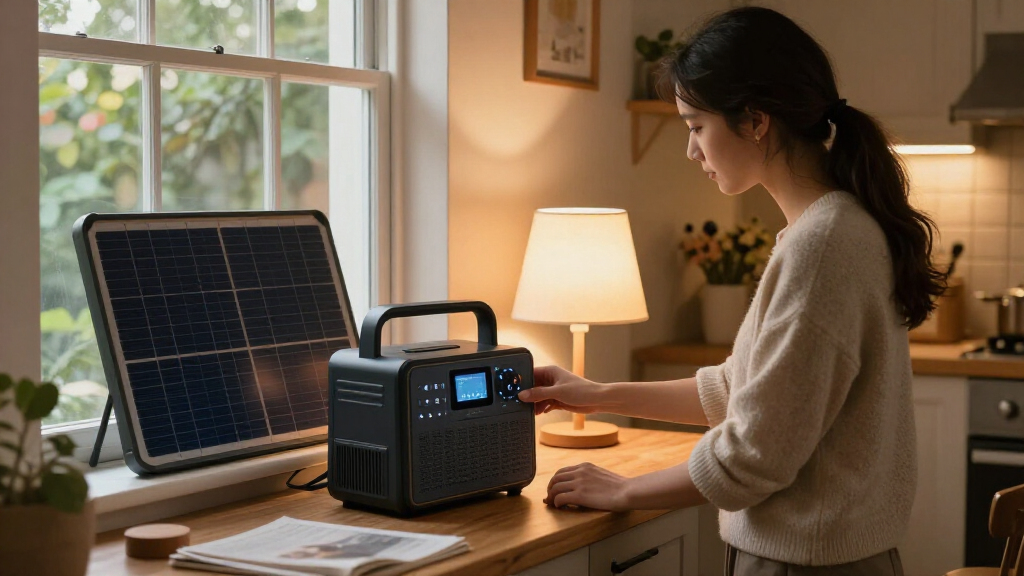
This battery-based backup, often called a portable power station, stores electricity and sends it to devices through outlets and ports. Many models recharge from a wall socket, vehicle, or solar panels, so you have options when the grid goes down. It is quieter than a fuel generator and produces no exhaust while operating, but that does not make every model a whole-house solution.
This guide explains what the numbers on a product page mean, how to estimate runtime, and what solar charging can realistically deliver. You’ll also get a practical way to choose a station for your own devices, whether you’re keeping a phone and router alive at home or powering lights at a campsite.
Check both continuous output and surge rating; capacity alone cannot tell you whether an appliance will run.
Estimate device watt-hours by multiplying watts by hours, then allow for conversion losses and extra demand.
Solar charging varies with shade, sun angle, weather, panel output, and the station’s input limit.
Compare the full system cost, including panels, expansion batteries, and transfer equipment.
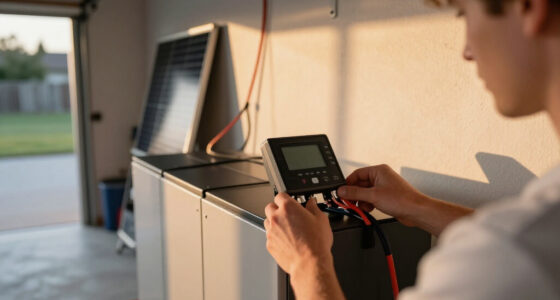
Use the station’s own outlets for portable loads; have a licensed electrician install and verify any household-circuit connection.
What a solar backup power station can—and can’t—run
A solar backup power station is a rechargeable battery connected to an inverter, outlets, and charging inputs. It stores electricity, then supplies power to devices when a wall outlet is unavailable. For example, during an evening outage, it might run a lamp, charge phones, and keep a modem online without the rumble or exhaust of a fuel generator.
Two ratings tell you whether a device is a fit, and they answer different questions. Capacity, shown in watt-hours (Wh), indicates how much energy is stored and therefore helps estimate runtime. Output, shown in watts (W), is the rate at which the station can deliver energy at one moment. A 1,000 Wh battery with a 500 W continuous output may have enough stored energy for a small fridge over time, yet still be unable to run it if the fridge needs more than 500 W while operating. More capacity does not fix an output limit; you need both ratings to match the load.
Motors add another wrinkle: a refrigerator compressor or sump pump can briefly demand more power when it starts than it uses while running. That short burst is the surge rating. If the station cannot meet the startup demand, it may shut off even though its continuous rating appears sufficient. This is why checking only the appliance’s average consumption can lead to a frustrating mismatch: the station needs enough output for the brief peak as well as enough capacity for the hours that follow.
Think of the station as a small, movable energy reserve, not a magic socket for the whole house. A family could use one for phones, a few LED lights, and a Wi-Fi router, then leave an electric oven or clothes dryer out of the plan. High-wattage appliances can consume a modest battery quickly or exceed its output limit outright. Larger expandable systems can serve more loads, but added capacity, output, and home connection equipment come with extra cost, weight, and installation considerations. Choose the smallest system that reliably covers your priority loads rather than paying to store energy you may not need.
As an affiliate, we earn on qualifying purchases.
Choose capacity and output with a quick load calculation
To choose a station, add up the power your devices need at the same time, then estimate how long you want each one to run. This separates output, measured in watts, from capacity, measured in watt-hours. A 100 W device uses about 100 Wh for each hour it runs, before losses; actual runtime will be shorter than the simple division suggests. The simultaneous-watt total helps prevent overload, while the watt-hour total helps prevent the battery from running out too soon.
Try a realistic evening plan: a 10 W router for six hours uses about 60 Wh, two 8 W LED lights for five hours use 80 Wh, and a 10 W phone charge adds roughly 10 Wh. That’s about 150 Wh of estimated use before conversion losses or unexpected demand. A station’s nominal rating does not equal the energy delivered through every outlet, so leave a margin and check the maker’s usable-energy guidance. The margin matters because actual device draw can vary, and inverter losses mean some stored energy is spent converting battery power to the form an AC device needs.
Use this four-step check before comparing models:
- List your essential devices and note their running watts from the label or manufacturer. This identifies the loads that matter, instead of letting a large but rarely used appliance determine your purchase.
- Check startup demand for appliances with motors, such as fridges and pumps. A brief startup peak can rule out a station whose continuous rating otherwise looks adequate.
- Multiply watts by hours for an estimate of energy use, then allow extra for conversion losses. This gives a practical capacity target, not a guarantee, because device use and conditions may change.
- Compare both ratings: continuous and surge output for the load, capacity for the runtime. If one is short, more of the other will not solve the mismatch.
For a real outage, a household might prioritize a phone, router, a few lights, and a medical device rather than trying to run every appliance. That prioritization stretches limited stored energy and helps ensure power remains for the items that matter most. If you rely on critical medical equipment, confirm its power requirements and backup needs with its manufacturer or care team; do not base the plan on a rough guess.
Compare battery types, ports, and costs before you buy
The right station depends on more than its headline capacity: battery chemistry, available ports, and the full system price affect whether it suits your routine. Newer models often use lithium iron phosphate, or LFP (LiFePO₄), which generally supports more charge cycles and offers good thermal stability. That can be appealing if you expect to recharge the station often, though cycle-life claims depend on the manufacturer’s test conditions and may come with a tradeoff in size or weight. NMC lithium-ion models can be lighter or more compact for a similar capacity, a useful tradeoff when you carry the unit to a campsite or have limited storage space. Compare the actual weight and warranty alongside chemistry rather than treating a battery type as a complete measure of quality.
Check the actual connections you need instead of assuming every station has the same selection. A remote worker may want USB-C for a laptop, USB-A for older accessories, and AC outlets for a monitor; someone powering a 12-volt camping fridge may need a compatible DC output. Matching the port to the device can avoid extra adapters, but also check the port’s power rating: a connector that fits does not necessarily deliver enough power. Some models also support expansion batteries or connection to a home transfer switch, but those features are product-specific. Expansion can extend runtime, for example, but it adds purchase cost and may make the setup heavier and less portable.
| Feature | What to check | Why it matters |
|---|---|---|
| Capacity | Watt-hours and usable-energy guidance | Helps estimate how long your devices can run |
| Output | Continuous watts and surge rating | Shows whether loads can start and run |
| Battery | LFP or NMC; published cycle-life conditions | Balances expected longevity, size, and weight |
| Connections | AC, USB-A, USB-C, and 12-volt ports | Reduces adapters and supports the devices you own |
| System cost | Panels, expansion batteries, and transfer equipment | Reveals the price of a working setup, not just the battery |
For example, a lower-priced station may look like a bargain until you add solar panels, an expansion battery, or transfer equipment. Compare the complete setup against the backup you need, and weigh purchase price against portability, expected use, and the time you need to keep devices running. Read the exact model specifications: market trends such as faster AC charging, stronger USB-C ports, app controls, and modular batteries do not mean every product has them.
Set realistic expectations for solar charging
Solar panels can recharge a station away from the grid, but charging time depends on conditions as well as panel wattage. A panel’s advertised rating is a best-case figure, not a promise that it will deliver that power throughout the day. Sun angle, shade, temperature, cloud cover, and the station’s solar-input limit all affect what reaches the battery. In practical terms, the panel rating helps compare equipment, but it cannot tell you exactly when the battery will be full.
Say your station can accept up to 400 W of solar input and you connect panels advertised at that combined rating. That does not mean you will see 400 W continuously: a passing cloud, a tree shadow, or panels lying flat on the lawn can cut production. The input limit is a ceiling, not a guaranteed charging rate; if panels could supply more than the station accepts, the station cannot use the extra power. Follow the manufacturer’s charging estimates as a starting point, then plan for slower charging in winter or changeable weather.
Panel placement makes a noticeable difference because panels produce more when sunlight reaches them directly. At a campsite, moving a panel into direct sun can work better than leaving it beside the tent in dappled shade; at home, a south-facing area may collect stronger sun depending on your location and season. Reposition panels safely as the sun moves, and check the station’s input limits before connecting equipment. More panels can shorten charging time when conditions and the station allow it, but they also add cost, setup work, and items to transport or secure.
Solar is a way to extend your available energy, not a guarantee of continuous power. On a multiday outage, a station may need to power essentials while also receiving enough sunlight to replace what those devices use. If production falls below consumption, the battery will still drain, even with panels connected. Have a backup plan for cloudy days, such as conserving battery power or recharging from an approved wall or vehicle source when available. The station can still be useful when you do not own panels, since many models charge from a wall outlet and some from a vehicle.
Use a portable station safely during an outage
A portable station can power selected devices from its own outlets, but connecting it to household wiring is a different job. Do not plug a station into a random wall outlet to energize home circuits; feeding power backward can endanger utility workers and damage equipment. A compatible transfer switch or other approved setup separates the home from the utility supply while the backup is in use. Without that separation, electricity can travel where it should not. Such equipment needs proper installation, and electrical work should go to a licensed professional who can follow local code and permit rules.
For example, plugging a lamp directly into the station during a blackout is straightforward if you follow the product instructions. Powering a furnace circuit through your home panel is not the same task: it involves household wiring, the station’s output limits, and equipment designed for that connection. Ask a licensed electrician whether your chosen station supports the required transfer equipment, what loads it can serve, and whether your planned configuration meets local requirements.
Battery stations produce no exhaust at the point of use, unlike fuel generators, but they still need sensible handling. Keep the unit within its stated temperature range, use the charger and cables the manufacturer approves, and leave ventilation space around it. Temperature and moisture can affect safe operation and battery performance, while damaged or unsuitable cables can create hazards. Follow its instructions for charging, storage, and any signs of damage rather than placing it where heat or moisture can build up.
Never operate a fuel generator indoors, in a garage, or in another enclosed space. It can produce deadly carbon monoxide. A battery station avoids exhaust while running, but it does not replace electrical safety instructions or a professionally installed home connection.
Before storm season, charge and test the station, confirm that its ports work with your essentials, and keep cables where you can find them in the dark. Testing also gives you a chance to catch a bad cable or a device that draws more power than expected before an outage. Store it according to the maker’s guidance. A few minutes of preparation beats discovering that your router cable is the wrong type when the lights go out.
Match your setup to an outage, campsite, or everyday backup
The best configuration changes with the job: home backup needs reliability, camping rewards portability, and everyday use favors convenient charging and familiar ports. Start with the devices you want to run, not with a large capacity number that sounds impressive. A modest station can be a smart fit if you only need to charge phones and light a tent, while a home plan may need greater capacity, more output, and an approved way to serve selected circuits. Bigger systems can cover more needs, but they cost more and may be harder to move or store, so the benefit depends on the loads you actually plan to support.
Consider a renter who wants to keep a laptop and router working through a short outage. A compact model with suitable AC and USB-C ports may meet the need without panels, since it can charge from the wall ahead of time. A camper who wants to run a small fridge has a different checklist: measure the fridge’s energy use, check its startup demand, and make sure the station’s DC or AC output matches how the fridge connects. In both cases, choosing around actual use avoids paying for capacity or features that do not solve the main problem.
For a multi-day outage, plan both what you will power and how you will replenish the battery. A station that runs a few essentials for one evening may not cover every night without solar or another charging source. Cloudy weather and short winter days can reduce solar production, so build in a conservation plan rather than counting on ideal sunshine. Reducing device use can be as important as adding battery capacity when there is no dependable way to recharge.
Battery lifespan also varies with chemistry, use, temperature, and care. Manufacturers may publish a cycle-life estimate, but that figure applies under stated test conditions and does not promise a particular number of years in your home. How often you cycle the battery and how it is stored affect how useful that estimate is for your situation. Check the warranty and storage instructions, and compare the cost of panels or expansion batteries before deciding whether a solar setup makes financial sense for your situation.
Frequently Asked Questions
Can a solar backup power station run a whole house?
Most portable models are designed for selected devices, not every circuit in a home. Larger expandable systems may support more, but you need careful load planning and compatible electrical equipment. Have a licensed electrician handle any connection to household circuits.
How long will a station run my refrigerator?
Runtime depends on the fridge’s energy use, how often its compressor runs, startup surge, and the station’s usable energy after losses. Check the appliance label or measure its consumption, then compare both its startup demand and ongoing draw with the station’s ratings. A simple capacity-divided-by-watts estimate is only a starting point.
Do I need solar panels to use a power station?
No. Many stations recharge from a wall outlet, and some can also charge from a vehicle. Solar panels add another charging option when grid power is unavailable, but check that their output works with the station’s solar-input limits.
Can I use a power station while it is charging?
Some models support pass-through power, but the feature and its limits vary. Check the manual for your exact model before charging and running devices at once, including any effect on output or battery care. Do not assume that a feature on one model applies to another.
Are solar power stations safe to use indoors?
Battery stations produce no exhaust while operating, but you still need to follow the manufacturer’s instructions for ventilation, temperature, charging, and placement. Fuel generators must never run indoors or in enclosed spaces because of carbon-monoxide danger. Keep the two kinds of equipment distinct in your safety plan.
How many solar panels do I need?
It depends on the station’s capacity and maximum solar input, your energy use, and the sunlight available. Start with the manufacturer’s charging estimate, then expect slower results with shade, clouds, poor panel angle, or short winter days. Check the station’s input limit before buying panels.
Conclusion
Choose a solar backup power station by starting with your essential devices, then matching their running and startup power to the station’s output and their hours of use to its capacity. Treat solar as a helpful recharge option, not a promise of uninterrupted power, and include accessories and safe installation in your budget.
Write your short list before you shop: phone, router, lights, fridge, or something else. The right station is the one that keeps those specific needs alive when the house goes quiet.
Evergreen bestsellers Picks
bestsellers
As an affiliate, we earn on qualifying purchases.